Backup & Data Recovery Software for Secure Data Protection
Data loss can occur due to hardware failure, accidental deletion, malware, system crashes, or unexpected power interruptions. Backup and data recovery software is essential for safeguarding personal files, business documents, databases, and operating systems. This category focuses on licensed solutions that support long-term data protection and controlled recovery processes for both individuals and organizations.
Core Use Cases for Backup and Recovery Software
Backup tools are designed to create secure copies of important information before problems occur, while recovery software is used to retrieve data after it has been lost or damaged. These tools support scenarios such as restoring deleted files, recovering formatted drives, and maintaining access to critical business information. They are commonly used in environments where data availability and operational continuity are essential.
Available Backup and Recovery Solutions
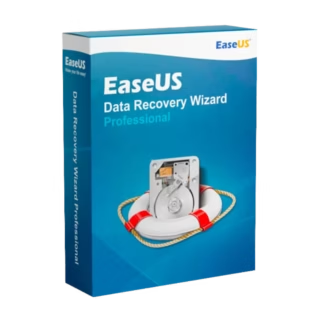
This category includes licensed products available through Backup & Data Recovery Software, as well as specialized recovery utilities such as EaseUS Data Recovery Wizard Professional. These solutions are suitable for recovering data from internal drives, external storage devices, formatted partitions, and system-related failures, offering practical recovery coverage across multiple scenarios.
How to Select the Right Backup or Recovery Software
Choosing the appropriate software depends on the type of data being protected and how quickly it must be restored. Home users may focus on personal documents and media, while business users often require structured backups and predictable recovery methods. Evaluating data criticality and recovery expectations helps ensure the software aligns with real-world needs.
- Information scope: Personal files, work documents, databases, or system images
- Storage environment: Local disks, removable media, or centralized systems
- Failure scenarios: Deletion, formatting, corruption, or hardware issues
- Operational context: Individual workstation or professional infrastructure
Compatibility and System Planning
Backup and recovery software must be compatible with the operating system and file system in use. Performance and recovery success can be influenced by hardware specifications and system condition. Users handling large data volumes or business-critical information should consider system readiness as part of the software selection process.
License Types Explained: OEM vs Retail
A Retail license typically offers flexibility, allowing reinstallation or transfer under certain conditions, making it suitable for evolving setups. An OEM license is generally bound to a single device and intended for fixed installations, offering a cost-effective option when hardware changes are unlikely.
Installation and Activation Overview
After purchase, users receive digital delivery details that include access to installation files and an activation key. Installation follows the standard setup process, and activation unlocks the full feature set. This ensures licensed functionality and removes trial limitations.
Professional and Business Use Considerations
In professional environments, backup and recovery software is often integrated into broader data management strategies. Regular backups reduce the impact of unexpected incidents, while reliable recovery tools help minimize downtime. Using properly licensed software supports compliance requirements and uninterrupted access when recovery is needed.
Why Buy Backup & Data Recovery Software from Digital License
Digital License supplies authentic software licenses with secure delivery and clear activation guidance. Our approach focuses on transparency, reliability, and suitability for both personal and professional data protection needs.
As an official Microsoft Partner, Digital License operates in line with recognized industry standards. Microsoft Partner ID : 7033487.