










- Description
- Minimum Requirements
- Specifications
- Reviews
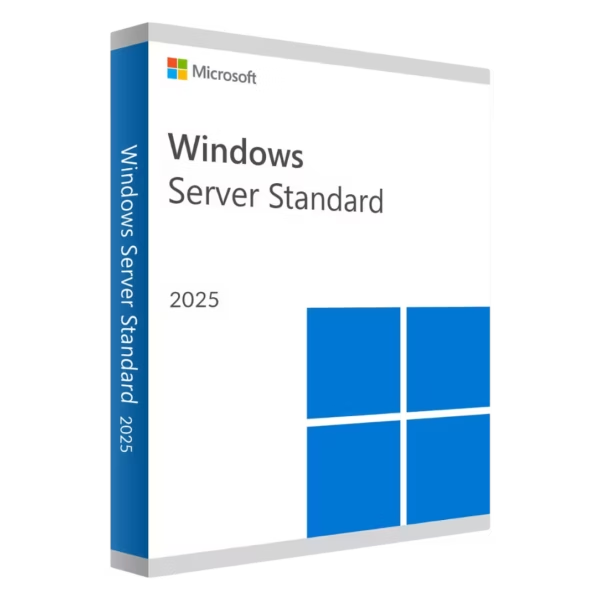
Windows Server 2025 Standard gives businesses a modern platform for virtualization, security, storage, networking, and centralized server management. It is well suited to physical servers and environments with moderate virtualization needs. You also get instant digital delivery, lifetime usage, and no recurring subscription.
Overview of Windows Server 2025 Standard
- Platform: Windows Server
- Edition: Standard
- License Type: Retail
- Devices: 1 device
- License Duration: Lifetime
- Activation Method: Online activation
- Delivery: Instant digital delivery via email
- Support: Email and remote assistance
- Language Support: Multi-language
- Compliance: Genuine software licenses sourced through compliant distribution channels in line with EU laws and industry standards
Key Features
- Hyper-V virtualization: Create and manage supported virtual machines on compatible hardware. This helps separate workloads and use server resources efficiently.
- Advanced security: Use modern Windows Server security technologies to protect supported workloads. This helps strengthen business infrastructure.
- Active Directory: Manage users, computers, permissions, and policies from one location. This makes access control easier to organize.
- Storage management: Manage disks, volumes, and shared storage resources. As a result, business data becomes easier to control.
- Windows Server Containers: Run supported applications in isolated environments. This helps separate workloads and simplify deployment.
- Server Manager: Manage roles, features, and common settings from one interface. This makes routine administration easier.
- PowerShell automation: Automate repeated server tasks and configurations. This can save time and improve consistency.
- Remote Desktop Services: Provide supported remote access to applications and server resources. This supports centralized working environments.
Main Features Explained
Hyper-V Virtualization
Windows Server 2025 Standard includes Hyper-V for supported virtual environments. It lets administrators create and manage virtual machines on compatible server hardware.
This helps separate applications and workloads. In addition, it can improve the use of available computing resources.
Active Directory
Active Directory provides centralized management for users, computers, permissions, and authentication. Administrators can also apply policies across supported systems.
Therefore, identity and access management becomes easier to control.
Server Security
Windows Server 2025 includes modern security technologies for supported hardware and workloads. These tools help strengthen protection for important server operations.
In addition, administrators can use policies and permissions to control access to business resources.
Storage and File Services
Administrators can manage storage volumes, shared folders, and supported file services from the server environment. This creates a central place for business data.
As a result, files and storage resources become easier to organize.
Server Manager and PowerShell
Server Manager provides a central interface for everyday administration. PowerShell adds tools for automation and advanced configuration.
Together, they help IT teams manage supported server tasks more efficiently.
Why Choose Windows Server 2025 Standard?
Windows Server 2025 Standard is a practical choice for businesses, IT administrators, and professional server environments. It supports virtualization, networking, storage, security, file services, and centralized administration.
It works well for physical servers and moderate virtualization needs. Therefore, it provides a strong balance between modern server features and straightforward management.
Explore our Windows Server 2025 options to compare available editions and choose the right version for your infrastructure.
If your organization needs more advanced virtualization capabilities, compare it with Windows Server 2025 Datacenter. Standard suits common business workloads, while Datacenter is designed for highly virtualized environments.
After successful activation, you receive lifetime usage. Therefore, there are no recurring subscription payments.
Windows Server 2025 Standard vs Alternatives
Windows Server 2025 Standard is designed for general business workloads and moderate virtualization. It provides professional tools for networking, storage, security, virtualization, and administration.
Datacenter is the stronger option for highly virtualized infrastructure. Standard is more practical when advanced data center capabilities are not required.
If you also need Remote Desktop Services access for a larger user environment, consider Windows Server 2025 Standard with RDS 50 User CALs. This option combines the Standard platform with Remote Desktop Services access for the specified number of users.
Therefore, the right option depends on your workloads, virtualization needs, and remote access requirements.
System Compatibility
Windows Server 2025 Standard requires compatible server hardware. Before installation, check the processor, memory, storage, network adapters, and drivers.
Also, confirm that your business applications support Windows Server 2025. This helps reduce compatibility problems.
Finally, complete your main hardware configuration before activation. This can help avoid unnecessary activation issues.
License Type Explanation
This product uses a Retail license. Under the terms of this specific offering, it can be installed and activated once on one server.
After successful activation, you receive lifetime usage. The product does not expire. There are also no recurring subscription payments.
However, the activation cannot be transferred or reused on another server. Therefore, choose the final server before activation.
If the operating system is removed, the activation is lost. The same applies if the server is formatted.
This is a one-time purchase. Installation files are provided through official Microsoft download links.
Installation & Activation
- Check that your server hardware supports Windows Server 2025.
- Download the installation files from the provided official Microsoft source.
- Install Windows Server 2025 Standard on the intended server.
- Configure the drivers, network settings, storage, and required server roles.
- Connect to the internet and complete the online activation.
- Contact our team if you need email or remote assistance.
Why Buy From Us?
Digital License provides genuine software licenses, secure payments, fast digital delivery, and professional support. Therefore, businesses and IT professionals can purchase with confidence.
- Genuine licenses sourced through compliant distribution channels
- Secure payment for a protected checkout process
- Instant digital delivery directly via email
- Professional support through email and remote assistance
- EU compliance in line with EU laws, including EU Directive 2009/24/EC, and industry standards
Digital License Is a Verified Microsoft Partner
Digital License is an official Microsoft Partner (ID: 7033487), recognized for delivering genuine software licenses and verified solutions across Europe. You can verify our partnership directly on the Microsoft Partner Directory. This ensures every license you purchase is authentic, secure, and fully compliant with Microsoft standards and applicable EU. laws (EU Directive 2009/24/EC) and industry standards.
Frequently Asked Questions
How do I activate Windows Server 2025 Standard?
Install it on the intended server. Then connect to the internet and complete the online activation.
How is Windows Server 2025 Standard delivered?
You receive it through instant digital delivery via email. There is no physical shipment.
Does Windows Server 2025 Standard require a subscription?
No. It is a one-time purchase with lifetime usage after activation.
Who should use Windows Server 2025 Standard?
It is suited to businesses, IT administrators, and professional server environments that need reliable infrastructure management.
Does Windows Server 2025 Standard support virtualization?
Yes. It includes Hyper-V for supported virtual environments and compatible server hardware.
Can I use Remote Desktop Services?
Yes, in supported environments. However, appropriate RDS CALs are required for users or devices that access Remote Desktop Services.
Can I transfer this Retail activation?
No. Under the terms of this specific offering, it is intended for one server and cannot be transferred or reused.
What happens if I format the server?
If the server is formatted, the activation is lost and cannot be reused under the terms of this offering.
What is the difference between Standard and Datacenter?
Standard suits general business workloads and moderate virtualization needs. Datacenter is better for highly virtualized and advanced enterprise infrastructure.
Is purchasing this software compliant with EU law?
Digital License supplies genuine software licenses through compliant distribution channels in line with applicable EU laws, including EU Directive 2009/24/EC, and industry standards.

| Component | Requirement |
| Processor | 1.4 GHz or faster 64-bit processor; compatible with x64 instruction set; supports NX, DEP, CMPXCHG16b, LAHF/SAHF, PrefetchW, SLAT (EPT/NPT) |
| RAM | Minimum: 512 MB for Server Core; 2 GB for Server with Desktop Experience |
| Storage | At least 32 GB of available space (more recommended depending on configuration and workloads) |
| Network | Ethernet adapter with at least 1 Gbps throughput, compliant with PCI Express architecture specification |
| Display and graphics | Graphics device and monitor capable of Super VGA (1024×768) or higher resolution |
| Firmware / Security features | UEFI 2.3.1c-based system with Secure Boot; Trusted Platform Module (TPM) 2.0 required for certain features |
| Specification | Detail |
|---|---|
| Activation | Single PC (one-time activation) |
| License validity | Lifetime (does not expire after activation) |
| Delivery method | By email within 15 minutes |
| Languages | Multilingual |

1 – Buy
Shop securely with SSL encryption.

2 – Receive
You will receive the license key and download link.

3 – Download
Download and install the software.

4 – Activate
Enter the license key to the software.

Microsoft Exchange Server 2019 Standard


Windows Server 2012 R2 Datacenter