Nuance Licenses – Professional PDF and Document Productivity Software
Nuance is a well-established software publisher known for creating advanced document solutions that help users work more efficiently with PDFs and digital files. The Nuance Licenses category brings together official tools designed to edit, convert, secure, and manage documents in professional and everyday work environments. These solutions are particularly popular among businesses, legal professionals, administrative teams, and users who regularly handle large volumes of documents.
At Digital License, all Nuance products are delivered as genuine digital licenses with fast email delivery and clear activation instructions. Whether you are managing contracts, reports, forms, or scanned documents, Nuance software provides the control and precision required for serious document work.
Available Nuance Products
This category includes a focused selection of Nuance Licenses, centered around professional PDF solutions that go far beyond basic PDF viewing.
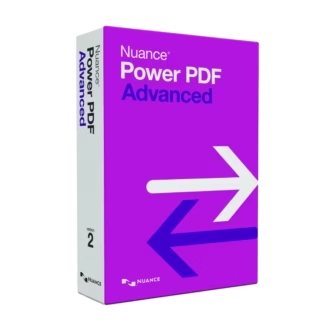
Nuance Power PDF Advanced 21
Nuance Power PDF Advanced 21 is a powerful PDF editor designed for professional use. It allows users to create, edit, convert, annotate, and secure PDF files with precision. This solution is often chosen as a cost-effective alternative to subscription-based PDF editors, offering strong functionality with a traditional license model.
Power PDF Advanced supports advanced features such as OCR for scanned documents, form creation, digital signatures, redaction, and document security controls. These capabilities make it suitable for environments where document accuracy, compliance, and efficiency are essential.
What Nuance Software Is Commonly Used For
Nuance tools are designed to streamline document-heavy workflows. Users typically rely on Nuance software in situations where standard PDF viewers or free tools are not sufficient.
Editing and Updating PDFs
Nuance software allows direct editing of text, images, and layouts inside PDF files. This eliminates the need to convert documents back and forth between formats just to make small changes.
PDF Conversion and OCR
Converting PDFs to editable formats such as Word or Excel is a key feature. OCR technology also allows scanned documents and images to be converted into searchable and editable files, saving time on manual retyping.
Document Security and Compliance
Nuance solutions offer tools for password protection, permission controls, redaction, and digital signatures. These features are especially important for legal, financial, and administrative documents that contain sensitive information.
How to Choose the Right Nuance License
Choosing the right Nuance license depends on how frequently you work with PDFs and how complex your document tasks are.
Occasional vs Daily PDF Work
Users who only view or annotate PDFs occasionally may not need advanced tools. However, if you regularly edit, convert, or secure documents, a professional solution like Nuance Power PDF Advanced becomes a practical long-term investment.
Individual Users vs Business Environments
Nuance software is suitable for both individual professionals and teams. Business users often value the consistency, offline access, and control offered by licensed desktop software.
Compatibility with Windows Systems
Nuance products are designed for Windows environments and work best on properly licensed operating systems. Many users integrate Nuance tools into Windows-based workflows for stable performance and compatibility.
Understanding License Types: OEM vs Retail
Before purchasing document software, understanding license types helps avoid future limitations.
Retail Licenses
Retail licenses are purchased directly by the user and activated with a license key. They usually allow reinstallation on the same system and are suitable for long-term use. Nuance licenses sold online are typically retail licenses.
OEM Licenses
OEM licenses are tied to specific hardware and are usually pre-installed. They are not transferable and are less flexible. For productivity software like Nuance, retail licenses are the preferred option.
Installation and Activation Overview
Installing and activating Nuance software is simple and straightforward:
- Purchase your Nuance license from Digital License and receive the activation key by email.
- Download the official Nuance installer.
- Install the software on your Windows computer.
- Enter the license key to activate the full version.
- Start working with all professional features unlocked.
Why Buy Nuance Licenses from Digital License?
Digital License focuses on providing genuine software, clear licensing, and fast digital delivery. All Nuance licenses are sourced to ensure authenticity, proper activation, and long-term usability.
Digital License operates as a verified Microsoft Partner, reflecting our commitment to trusted software distribution and professional standards. Microsoft Partner ID : 7033487
Work Smarter with Professional PDF Tools
Modern work environments rely heavily on digital documents. Nuance licenses provide reliable tools that simplify document editing, improve accuracy, and enhance productivity. By choosing Nuance software through Digital License, you gain access to professional-grade PDF solutions backed by a trusted ecommerce platform.