Microsoft Visio Licenses – Professional Diagramming Made Simple
Microsoft Visio is a specialized diagramming application designed to help professionals visualize processes, systems, and data through structured diagrams. From flowcharts and organizational charts to network diagrams and technical schematics, Visio is widely used across industries such as IT, engineering, project management, education, and business analysis.
This category brings together a complete range of Microsoft Visio Licenses, allowing users to select the version that best fits their workflow, operating system, and compatibility requirements. Whether you need the latest release or a previous version to match an existing environment, Digital License provides flexible and reliable options.
Available Microsoft Visio Versions
Microsoft Visio has evolved over the years, with each version offering improvements in usability, templates, and performance. Below you will find the main Visio versions available in this category.
Microsoft Visio 2024
Microsoft Visio 2024 Licenses are designed for users who want the most up-to-date features, enhanced security, and full compatibility with modern Windows systems. This version is ideal for businesses and professionals looking for long-term support and performance.
Microsoft Visio 2021
Microsoft Visio 2021 Licenses offer a modern interface and strong compatibility with recent Office environments. It is a popular choice for users who want stability and advanced diagramming tools without moving to the very latest release.
Microsoft Visio 2019
Microsoft Visio 2019 Licenses are well suited for established business environments that rely on consistent software versions. This edition supports a wide range of diagram types and integrates smoothly with other Microsoft products.
Earlier Visio Versions
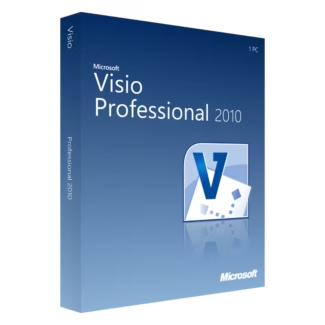
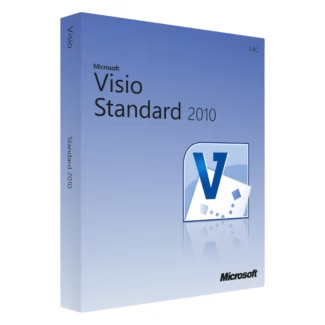
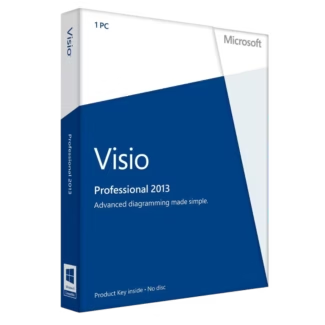
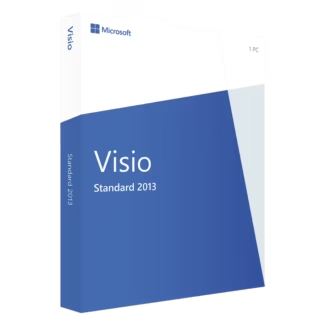
For compatibility with legacy systems or specific project requirements, older Visio versions are also available, including Microsoft Visio 2016 Licenses, Microsoft Visio 2013 Licenses, and Microsoft Visio 2010 Licenses. These versions remain useful for organizations that prefer a familiar interface or need to maintain consistency across older systems.
What Can You Do with Microsoft Visio?
Microsoft Visio is designed to simplify complex concepts through visual representation. It offers a wide range of templates and shapes for different professional use cases.
- Create flowcharts to map business processes and workflows
- Design organizational charts for team structures
- Build network diagrams for IT infrastructure planning
- Develop floor plans, layouts, and technical schematics
- Visualize data-driven diagrams linked to external data sources
How to Choose the Right Microsoft Visio License
Selecting the right Visio license depends on your technical environment, project scope, and long-term usage plans.
Version Compatibility
Always consider your operating system before choosing a Visio version. Newer versions are optimized for modern systems, while older versions may be better suited for legacy environments.
Professional Requirements
If you frequently collaborate with teams using newer Microsoft Office products, choosing a recent Visio version ensures better compatibility and smoother file sharing.
Long-Term Use vs Budget
Later Visio versions offer extended support and improved performance, while earlier versions can be a cost-effective solution for basic diagramming needs.
Understanding License Types: OEM vs Retail
Microsoft Visio Licenses are typically available in two main license types, each suited to different usage scenarios.
OEM Licenses
OEM licenses are linked to a single computer and cannot be transferred to another device. They are generally more affordable and ideal for users who plan to keep Visio installed on one system long-term.
Retail Licenses
Retail licenses offer flexibility, allowing you to transfer the software to a new device if you upgrade or replace your computer. This option is suitable for users who value mobility and future-proofing.
Installation and Activation Overview
Installing Microsoft Visio is straightforward. After purchasing your license, you download the official installation files and follow the guided setup process. Once installation is complete, you activate the software using the provided product key.
After successful activation, all features are unlocked, and the software is ready for immediate use. Regular updates help ensure security and compatibility with your system.
Why Buy Microsoft Visio Licenses from Digital License
Digital License provides genuine Microsoft Visio Licenses with fast digital delivery, competitive pricing, and clear activation instructions. Each license is suitable for long-term professional use.
Digital License is a verified Microsoft Partner, ensuring authenticity, compliance, and customer trust. Microsoft Partner ID : 7033487
By choosing Digital License, you gain access to reliable software solutions backed by professional support and a secure purchasing experience.