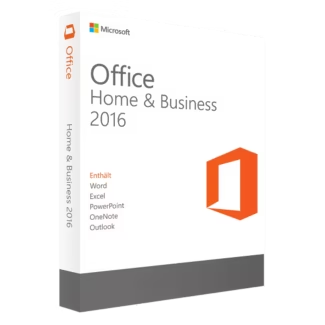
Microsoft Office 2016 Mac Licenses
Microsoft Office 2016 for Mac remains one of the most popular productivity suites for users who want a familiar Microsoft Office experience on macOS without relying on subscription-based software. Many professionals, students, freelancers and companies still prefer Office 2016 because of its stable performance, classic interface and long-term usability for everyday office work.
This category includes different Microsoft Office 2016 Mac licenses designed for personal, academic and professional environments. Whether you need Office applications for document creation, spreadsheet management, presentations, email communication or business productivity, Office 2016 for Mac continues to provide a practical and efficient solution.
Why users still choose Office 2016 for Mac
Although newer Office generations are available, many Mac users continue to choose Office 2016 for Mac because it offers a balanced combination of functionality, simplicity and compatibility. Users who do not want recurring subscription fees often prefer perpetual Office licenses for long-term use.
Office 2016 provides access to essential Microsoft productivity applications such as:
- Microsoft Word for professional documents and reports
- Microsoft Excel for spreadsheets, financial tracking and data analysis
- Microsoft PowerPoint for presentations and visual projects
- Microsoft Outlook for email and calendar management
- OneNote for note organization and productivity
The interface remains familiar to long-time Office users, making the transition easy for customers upgrading from older Office versions or moving from Windows to macOS.
Choosing the right Microsoft Office 2016 Mac edition
Selecting the correct edition depends on how you use your Mac and which Office applications are most important for your workflow.
This edition is ideal for:
- Freelancers and remote workers
- Students and academic users
- Home office productivity
- Small business communication
- Users who need Outlook for professional email management
Home & Business is one of the most popular Office editions because it combines essential Office applications with business-oriented communication tools.
This version is designed for more advanced professional environments and organizations that require a dependable Office suite for daily operations. It is suitable for businesses that need consistency across multiple Mac workstations and professional productivity management.
Compatibility with macOS
Before purchasing a Microsoft Office 2016 Mac license, it is important to verify compatibility with your macOS version. Office 2016 was designed for earlier generations of macOS, which means performance and support may vary depending on your current Apple system.
Many users still successfully run Office 2016 on compatible Mac systems because it offers strong performance for standard office work without requiring advanced hardware resources. This makes it especially useful for older MacBooks, iMacs and professional workstations still used in office environments.
If you want access to newer Microsoft features and extended compatibility with modern macOS releases, you may also consider newer Office categories such as Microsoft Office 2024 Home & Business or Microsoft Office 2024 Standard Mac.
Office 2016 Mac vs Microsoft 365
One of the main reasons users choose Office 2016 Mac licenses is the preference for a perpetual software model instead of subscription-based licensing.
Microsoft 365 requires recurring monthly or annual payments and focuses on cloud-based collaboration and continuously updated features. Office 2016 for Mac, on the other hand, offers a classic Office experience with a one-time activation model.
For users who mainly work with local documents, spreadsheets, presentations and email management, Office 2016 often remains more than sufficient for everyday productivity needs.
OEM vs Retail licenses explained
When shopping for software, many customers encounter the terms OEM and Retail. Understanding these license types helps you choose the most suitable option.
OEM licenses
OEM licenses are generally linked to a single device after activation. They are commonly chosen by users who plan to use Office on the same Mac long term and do not expect to migrate the license to another computer.
Retail licenses
Retail licenses usually provide greater flexibility depending on the activation terms. They may allow reinstallation or migration to another compatible device more easily than OEM licenses.
Choosing the right license depends on your workflow, hardware plans and long-term software needs.
Installation and activation overview
Installing and activating Microsoft Office 2016 for Mac is typically straightforward. The general process includes:
- Purchasing the Office edition that matches your requirements
- Receiving your digital license and installation instructions
- Downloading the compatible Office installation package
- Installing Office applications on your Mac
- Activating the software using the provided product key
- Starting Word, Excel, PowerPoint or Outlook after successful activation
Digital delivery allows customers to begin installation quickly without waiting for physical media or shipping delays.
Who should use Office 2016 for Mac?
Microsoft Office 2016 Mac is ideal for:
- Students writing assignments and reports
- Businesses managing spreadsheets and presentations
- Freelancers handling invoices and communication
- Remote workers organizing documents and email
- Users upgrading from older Office versions
- Mac users looking for a familiar Office environment
For additional productivity and professional software, you can also explore our broader Computer programs category.
Creative professionals working with animation, rendering or digital production workflows may also benefit from our 3D Design Animation Software collection.
Protecting your Mac environment
Productivity software should always be paired with proper security solutions. Users managing business files, personal information or important office documents often combine Office software with endpoint protection tools.
You can explore additional protection through our Kaspersky software collection or advanced solutions such as Kaspersky Premium Total Security.
Why choose Digital License?
Digital License provides software solutions for users looking for professional productivity tools, digital delivery and clear activation guidance. Our goal is to help customers access reliable Microsoft software licenses with transparent product information and efficient service.
Digital License is publicly listed as a Microsoft Partner.
Microsoft Partner ID : 7033487