Microsoft Office Suites Licenses – Powerful Productivity for Every User
Microsoft Office is the world’s most widely used productivity software, trusted by individuals, professionals, and organizations across all industries. From document creation and data analysis to presentations, email management, and collaboration, Office suites provide essential tools that support daily work and long-term projects alike. In this category, you will find a comprehensive selection of Microsoft Office Suites Licenses, covering both the latest releases and earlier versions that remain popular for compatibility and preference reasons.
The purpose of this category is to help you quickly identify and purchase the right Microsoft Office version based on your needs, usage habits, and system compatibility. Whether you prefer a one-time purchase or a flexible subscription model, Digital License offers genuine Office licenses with fast digital delivery and clear activation instructions.
Why Choose Microsoft Office Suites?
Microsoft Office suites are designed to improve productivity, consistency, and collaboration. Applications such as Word, Excel, PowerPoint, Outlook, and Access have become industry standards, ensuring compatibility when sharing files with colleagues, clients, or institutions.
Office suites are suitable for a wide range of users, including students, freelancers, small businesses, and large enterprises. With multiple versions available, Microsoft Office allows you to balance features, performance, and cost while maintaining a familiar and reliable working environment.
Overview of Available Microsoft Office Versions
This category includes both perpetual Office licenses and subscription-based plans, giving you flexibility in how you use and pay for your software.
Latest and Modern Office Versions
For users who want the newest features and long-term usability, Microsoft Office 2024 offers updated applications, improved performance, and enhanced security. It is ideal for professionals and businesses looking for a modern Office experience without a subscription.
Microsoft Office 2021 remains a highly popular choice, delivering a stable and powerful feature set with a one-time purchase model. It suits users who want modern functionality while avoiding recurring payments.
Previous Office Editions for Compatibility
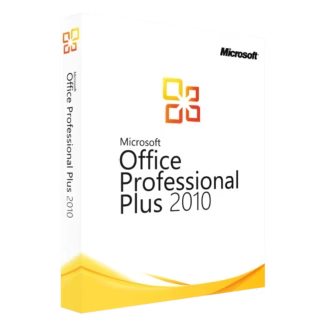
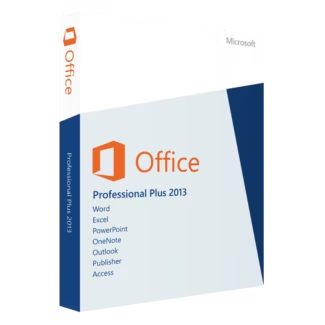
Some users rely on older Office versions for compatibility with existing workflows or systems. In this category, you will also find Microsoft Office 2019, Microsoft Office 2016, Microsoft Office 2013, and Microsoft Office 2010. These editions continue to be used in many environments where stability and familiarity are priorities.
Subscription-Based Office Solutions
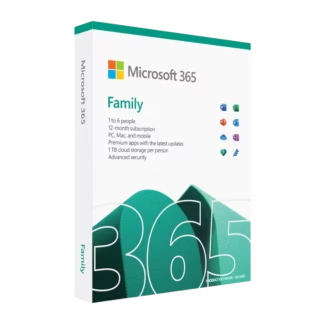
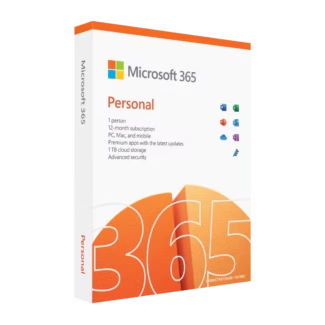
For users who value flexibility, cloud services, and continuous updates, Microsoft Office 365 provides access to the latest Office apps along with cloud storage and collaboration features. It is well suited for teams, remote work, and users who prefer an always-up-to-date solution.
How to Choose the Right Microsoft Office License
Selecting the right Office suite depends on how you work and how often you upgrade your software. Start by considering whether you prefer a one-time purchase or a subscription. Perpetual licenses are ideal for users who want a fixed cost and long-term use on a single device, while subscriptions offer flexibility and additional cloud services.
- Home and students: Office 2021, Office 2019, or Office 365
- Professionals and freelancers: Office 2024 or Office 2021
- Businesses and teams: Office 365 or newer perpetual versions
- Legacy environments: Office 2016, 2013, or 2010
Compatibility with your operating system is also essential. Most newer Office versions work best with modern Windows releases, so ensure your system meets the requirements before purchasing.
Microsoft Office License Types: OEM vs Retail
When buying a Microsoft Office license, it is important to understand the difference between OEM and Retail license types.
OEM licenses are tied to the first device on which they are activated. They are typically more affordable and suitable for users who plan to use Office on a single computer for its entire lifespan.
Retail licenses offer more flexibility. They can usually be transferred to another device if you replace or upgrade your hardware, provided the license is active on only one system at a time.
Installation and Activation Overview
Installing Microsoft Office is a simple process. After purchasing your license, you will receive a product key or account-based activation details digitally. Download the Office installer, sign in or enter your product key when prompted, and follow the on-screen instructions.
Once installed, Office applications will activate automatically when connected to the internet. After activation, you can immediately start using Word, Excel, PowerPoint, and other included apps.
Why Buy Microsoft Office Licenses from Digital License
Digital License focuses on providing genuine software with transparency, competitive pricing, and fast delivery. All Microsoft Office licenses sold in this category are authentic and suitable for proper activation.
As an official Microsoft Partner, we meet Microsoft’s standards for authorized software distribution and customer support. This ensures reliability, legitimacy, and peace of mind with every purchase. Microsoft Partner ID : 7033487
With instant digital delivery, detailed guidance, and dedicated support, Digital License makes it easy to choose and activate the right Microsoft Office Suite for your needs.