



































- Description
- Minimum Requirements
- Specifications
- Reviews
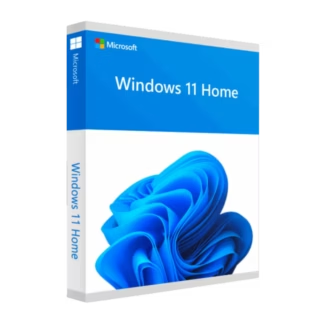
Windows 11 Home N provides a modern, secure, and easy-to-use Windows experience for everyday computing. It is ideal for home users, students, families, and gamers who specifically need the N edition. Enjoy instant digital delivery, lifetime usage, and no subscription fees.
Overview of Windows 11 Home N
- Platform: Windows
- Edition: Home N
- License Type: Retail
- Devices: 1 device
- License Duration: Lifetime
- Activation Method: Online activation
- Delivery: Instant digital delivery via email
- Support: Email and remote assistance
- Language Support: Multi-language
- Compliance: Genuine software licenses sourced through compliant distribution channels in line with EU laws and industry standards
Key Features
- Modern Windows 11 interface: Enjoy a clean Start menu, simple navigation, and an updated desktop. As a result, everyday tasks feel faster and easier to manage.
- Snap Layouts: Arrange several apps in structured layouts on your screen. This makes multitasking easier when working, studying, browsing, or communicating.
- Windows Security: Built-in security tools help protect your computer from malware and common online threats. Therefore, you get useful everyday device protection without complex setup.
- Windows Hello: Use a PIN or supported biometric sign-in methods for faster access. This provides a secure and convenient login experience on compatible hardware.
- Virtual desktops: Create separate spaces for work, study, gaming, or personal tasks. As a result, your desktop stays organized and focused.
- Gaming support: Windows 11 works with modern gaming technologies and compatible PC hardware. This makes it a strong platform for gaming and entertainment.
- N edition configuration: This edition excludes certain built-in media technologies. Therefore, it is suited to users who specifically require the Windows N environment.
Main Features Explained
Snap Layouts
Snap Layouts help you place several open apps into organized areas of the screen. For example, you can keep a browser beside a document or place notes next to a video call.
This improves multitasking and productivity. It also reduces the time spent moving and resizing windows.
Windows Security
Windows Security provides built-in protection against common digital threats. It helps monitor your computer while you browse, work, study, or download files.
Therefore, you get an important layer of everyday PC security without complicated configuration.
Windows Hello
Windows Hello provides a faster way to sign in to compatible devices. Depending on your hardware, you can use a PIN, fingerprint, or facial recognition.
This makes access both secure and convenient. It can also reduce your reliance on traditional passwords.
Virtual Desktops
Virtual desktops let you separate different activities into individual workspaces. For example, you can keep school or work apps away from entertainment applications.
As a result, your computer stays cleaner and easier to organize.
N Edition Media Configuration
Windows 11 Home N includes the main Home edition experience but excludes certain media-related technologies by default. Some multimedia apps and features may therefore require additional media components.
This distinction is important when choosing between the N edition and the standard Home edition. Users who rely heavily on built-in multimedia functions may prefer the standard version.
Why Choose Windows 11 Home N?
Windows 11 Home N is designed for home users, students, families, gamers, and everyday PC users who specifically need the N edition. It provides useful tools for productivity, security, multitasking, communication, and entertainment.
The modern interface keeps common tasks simple. In addition, features such as Snap Layouts, Windows Hello, and virtual desktops help you stay productive throughout the day.
If you want to compare other current editions, explore our Windows 11 operating system licenses. This makes it easier to find the edition that matches your needs.
If you prefer the standard Home edition with its usual built-in media technologies, consider Windows 11 Home. It may be more convenient for users who regularly use multimedia applications and media features.
Windows 11 Home N also provides lifetime usage after successful activation. Since it is a one-time purchase, there are no recurring operating system subscription fees.
Windows 11 Home N vs Alternatives
Windows 11 Home N and Windows 11 Home share the same core focus on everyday personal computing. Both provide the modern Windows interface, built-in security, productivity tools, gaming support, and multitasking features.
The main difference is the media configuration. The N edition excludes certain media-related technologies by default, while the standard Home edition includes them.
Therefore, choose Home N when you specifically require the N configuration. Choose the standard Home edition when built-in multimedia support is more important to your daily use.
For users who need an earlier N edition on compatible hardware, Windows 10 Home N is another related option. However, Windows 11 Home N provides the newer Windows 11 interface and user experience.
System Compatibility
Before installing Windows 11 Home N, make sure your computer meets the Windows 11 hardware requirements. Checking compatibility first can help prevent installation problems.
Your PC should have a compatible 64-bit processor, enough memory and storage, UEFI firmware with Secure Boot capability, and TPM 2.0. Your display and graphics hardware must also support Windows 11.
In addition, remember that the N edition excludes certain media technologies by default. Some multimedia apps may need extra media components before all features work as expected.
License Type Explanation
This product uses a Retail license. It can be installed and activated once on one computer.
After successful activation, it provides lifetime usage and does not expire. It is also a one-time purchase, so there are no recurring subscription payments.
However, this Retail license cannot be transferred or reused on another computer. If Windows is uninstalled or the activated device is formatted, the license is lost.
Therefore, activate it only on the computer you intend to keep using. Installation files are provided through official Microsoft download links.
Installation & Activation
- Check that your computer meets the Windows 11 system requirements.
- Download the installation files from the official Microsoft download source.
- Install Windows 11 Home N on your intended computer.
- Complete the Windows setup and connect the computer to the internet.
- Open the Windows activation settings and complete online activation.
- If needed, contact our team for email or remote assistance.
Why Buy From Us?
Digital License provides genuine software licenses, secure payments, fast digital fulfillment, and professional support. In addition, we focus on compliant distribution and a simple purchasing experience.
- Genuine licenses sourced through compliant distribution channels
- Secure payment for a protected checkout experience
- Instant digital delivery directly via email
- Professional support through email and remote assistance
- EU compliance in line with EU laws, including EU Directive 2009/24/EC, and industry standards
Digital License Is a Verified Microsoft Partner
Digital License is an official Microsoft Partner (ID: 7033487), recognized for delivering genuine software licenses and verified solutions across Europe. You can verify our partnership directly on the Microsoft Partner Directory. This ensures every license you purchase is authentic, secure, and fully compliant with Microsoft standards and applicable EU. laws (EU Directive 2009/24/EC) and industry standards.
Frequently Asked Questions
How do I activate Windows 11 Home N?
Install Windows on the intended computer first. Then connect to the internet and complete online activation through the Windows activation settings.
How is Windows 11 Home N delivered?
Your order is provided through instant digital delivery via email. Therefore, you do not need to wait for physical shipping.
Does Windows 11 Home N require a subscription?
No. It is a one-time purchase with lifetime usage after successful activation.
What is different about the Home N edition?
The N edition provides the main Home experience but excludes certain media-related technologies by default. Some multimedia apps or functions may therefore require additional media components.
Can I transfer this Retail license to another computer?
No. This specific Retail license is intended for one-time activation on one computer. It cannot be transferred or activated again on another device.
What happens if I format my computer?
If the activated computer is formatted or Windows is uninstalled, the license is lost and cannot be reused. Therefore, activate it only after the final installation is ready.
Is Windows 11 Home N compatible with every PC?
No. Your computer must meet the Windows 11 hardware requirements. Key requirements include compatible hardware, Secure Boot capability, and TPM 2.0.
Should I choose Windows 11 Home N or Windows 11 Home?
Choose Windows 11 Home N if you specifically need the N configuration. The standard Home edition may be more convenient if you rely on built-in multimedia technologies for everyday entertainment and media applications.
Is purchasing this software compliant with EU law?
Digital License supplies genuine software licenses sourced through compliant distribution channels in line with applicable EU laws, including EU Directive 2009/24/EC, and industry standards.

| Component | Requirement |
| Processor | 1 GHz or faster with at least 2 cores on a compatible 64-bit processor or System on a Chip (SoC) |
| RAM | 4 GB or more |
| Storage | 64 GB or more of available space |
| Operating System | Windows 11 Home N |
| Graphics card | Compatible with DirectX 12 and WDDM 2.0 driver |
| Display | Minimum resolution of 720p, 9″ or larger screen |
| Specification | Detail |
| Activation | Single PC (one-time activation) |
| License validity | Lifetime (does not expire after activation) |
| Delivery method | By email within 15 minutes |
| Languages | Multilingual |

1 – Buy
Shop securely with SSL encryption.

2 – Receive
You will receive the license key and download link.

3 – Download
Download and install the software.

4 – Activate
Enter the license key to the software.



Office 2024 Professional Plus + Windows 11 Pro

Office 2024 Professional Plus + Windows 10 Pro
