





- Description
- Minimum Requirements
- Specifications
- Reviews
Office 2021 Professional Plus + Windows 10 Pro combines familiar desktop productivity applications with a professional Windows environment for one computer. Get instant digital delivery and lifetime usage of the purchased versions through a one-time payment, with no subscription.
Overview of Office 2021 Professional Plus + Windows 10 Pro
- Platform: Windows
- Edition (Microsoft Office): Professional Plus
- License Type (Microsoft Office): LTSC
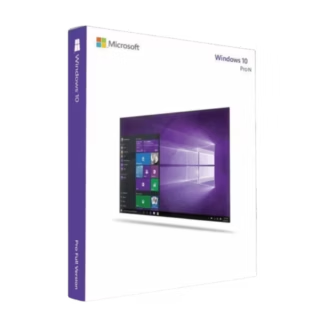
- Edition (Windows): Professional
- License Type (Windows): Retail
- Devices: 1 device
- License Duration: Lifetime
- Activation Method: Online activation
- Delivery: Instant digital delivery via email
- Support: Email and remote assistance
- Language Support: Multi-language
- Compliance: Genuine software licenses sourced through compliant distribution channels in line with EU laws and industry standards
Key Features
- Document creation with Word: Prepare reports, proposals, and correspondence with formatting tools that keep business documents consistent.
- Spreadsheet analysis with Excel: Organize records, apply formulas, and create charts to understand figures and support decisions.
- Presentations with PowerPoint: Combine text, charts, and visuals to explain proposals and results clearly during meetings.
- Desktop email with Outlook: Manage messages, contacts, and appointments in one application to keep daily communication organized.
- Notes and structured records: Capture information in OneNote and build database solutions in Access to support organized workflows.
- BitLocker drive encryption: Encrypt supported drives in Windows 10 Pro to help protect stored information if a computer is lost or stolen.
- Remote Desktop hosting: Enable authorized remote connections to access your workstation from another compatible device.
- Business administration tools: Join a compatible Active Directory domain and use Group Policy to apply settings across a managed environment.
Main Features Explained
Desktop Applications for Daily Business Tasks
Office provides tools for writing, calculations, presentations, communication, notes, and database work. You can draft a report in Word, analyze its figures in Excel, and present the findings in PowerPoint.
This combination is useful for administrators, consultants, and business owners who handle several types of work on one computer. Familiar application layouts also help maintain established working practices.
BitLocker for Protecting Stored Information
BitLocker encrypts supported drives to help prevent unauthorized access to their contents. It is particularly relevant when someone gains physical access to a lost or stolen device.
Configure encryption carefully and store the recovery key securely. Use backups and strong account protection alongside encryption to protect your work.
Remote Desktop for Authorized Access
Windows 10 Pro can accept Remote Desktop connections after you enable and configure the feature. An authorized user can then reach the computer from a compatible client.
This can help when you need applications or files on your main workstation while working elsewhere. Appropriate permissions and a secure network connection are required.
Centralized Settings for Business Computers
Domain join and Group Policy allow Windows 10 Pro to participate in compatible managed networks. Administrators can apply configuration requirements more consistently across connected computers.
These capabilities are useful for organizations maintaining shared settings and access policies. The necessary server environment and any additional access rights are separate requirements.
Why Choose Office 2021 Professional Plus + Windows 10 Pro?
Office 2021 Professional Plus + Windows 10 Pro may suit users maintaining an established Windows 10 workstation for specific application or deployment needs. It combines familiar Office tools with operating system capabilities for encryption, remote access, and administration.
A small business can prepare quotations, track expenses, and manage appointments. A consultant can maintain client records and create presentations without recurring subscription payments for the purchased versions.
Explore our software bundles to compare combinations for your computer.
For a newer Office and Windows generation, compare this offer with the Office 2024 Professional Plus and Windows 11 Pro bundle. Review hardware eligibility and support requirements before selecting either option.
Office 2021 Professional Plus + Windows 10 Pro vs Alternatives
Compared with Office 2024 and Windows 11 Pro
The newer bundle updates both the Office applications and the operating system. Office 2024 offers updated application features and a later Office support lifecycle.
Windows 11 also introduces different hardware requirements, including a supported processor, TPM 2.0, and Secure Boot capability. A computer running Windows 10 does not automatically qualify.
Compared with Office 2021 and Windows 11 Pro
The Office 2021 Professional Plus and Windows 11 Pro bundle pairs the same Office generation with a newer operating system.
Changing Windows does not extend Office 2021’s manufacturer support period. Assess the lifecycle of each component when choosing a bundle for business use.
System Compatibility
This offer covers both products on the same Windows computer. It does not include native macOS applications.
- Hardware: Check the processor, memory, storage, graphics, and display requirements for both installation packages.
- Combined requirements: A computer that runs Windows 10 does not automatically meet every Office 2021 requirement.
- Drivers and peripherals: Verify compatibility with printers, accessories, and other equipment used for your work.
- Existing Office software: Review installation technology, add-ins, and 32-bit or 64-bit architecture before making changes.
- Internet connection: Required to download the software and complete the supplied activation procedures.
Manufacturer support status: Standard Windows 10 support ended on October 14, 2025. Office LTSC 2021 reached end of support in October 2026. The products can continue to run, but this purchase does not restore manufacturer support or include Windows Extended Security Updates enrollment.
Back up important files before changing Windows. Review your organization’s security and support requirements before deploying this combination.
Understanding the Two License Types
This bundle combines Office supplied as LTSC with Windows supplied as Retail. You make one payment for the specified products on one designated computer.
Office LTSC: Under this offer’s supplied terms, Office permits one installation. Its activation entitlement cannot be transferred or reused after uninstallation or formatting. Digital License prepares the installation package under its stated Microsoft partnership arrangement and hosts it on company servers.
Windows Retail: The specific terms supplied for this offer also restrict Windows to one installation without transfer or reuse. The delivery instructions direct you to official Microsoft download sources for Windows.
These restrictions describe this particular offer. Lifetime usage means the activated products have no subscription expiry. It does not include future major releases or extend either product’s update and support lifecycle.
Installation & Activation
- Step 1: Check hardware and application compatibility, then back up important files.
- Step 2: Read the delivery instructions and identify the separate Windows and Office activation details.
- Step 3: Install or configure Windows 10 Pro as instructed and activate it through Windows Settings.
- Step 4: Review existing Office software and download the supplied Office installation package.
- Step 5: Install Office and complete its activation using the corresponding instructions.
- Step 6: Confirm Windows activation and open an Office application to check that both products are ready.
Why Buy From Us?
Digital License combines digital fulfillment with practical setup guidance. You receive clear purchase terms and help with installation and activation.
- Genuine licenses: Products sourced through the distribution channels described in our commercial information.
- Secure payment: A protected checkout process for your order.
- Practical assistance: Guidance when installation or activation needs attention.
- Transparent conditions: Information about device limits and usage restrictions.
- Compliance commitment: Sourcing aligned with applicable EU laws, including EU Directive 2009/24/EC, and industry standards.
Digital License Is a Verified Microsoft Partner
Digital License is an official Microsoft Partner (ID: 7033487), recognized for delivering genuine software licenses and verified solutions across Europe. You can verify our partnership directly on the Microsoft Partner Directory. This ensures every license you purchase is authentic, secure, and fully compliant with Microsoft standards and applicable EU. laws (EU Directive 2009/24/EC) and industry standards.
Frequently Asked Questions
What does this bundle include?
It includes Office 2021 Professional Plus and Windows 10 Pro for one designated computer. Office provides desktop applications including Word, Excel, PowerPoint, Outlook, OneNote, and Access.
How will I receive my purchase?
Your order arrives digitally by email with download and activation instructions. No physical installation media are shipped.
Do Windows and Office require separate activation?
Yes. Each product has its own activation process. Use the corresponding details and follow the supplied instructions for each.
Can I install the bundle on a Mac?
No. This offer concerns Windows desktop software and does not include native macOS applications.
Can I transfer the products to another computer?
No. The specific terms supplied for this offer restrict both products to the original computer and do not permit transfer or reuse.
What happens after formatting or uninstalling?
Under the supplied terms, the activation entitlement for an affected product cannot be reused after formatting or uninstallation. Choose your installation computer carefully.
Does lifetime usage include ongoing Microsoft security updates?
No. Lifetime usage concerns the purchased versions without subscription renewal. Both products have reached the end of their standard manufacturer support periods.
Is the software supplied legally?
Digital License states that its products come from lawful distribution channels in line with applicable EU requirements. Keep your invoice and supplied licensing documentation as purchase records.

| Component | Requirement |
| Processor | 1.0 GHz or faster processor with at least 2 cores (64-bit required) |
| RAM | 4 GB RAM (minimum); 8 GB RAM (recommended) |
| Storage | 64 GB free disk space (SSD recommended) |
| Operating System | Windows 10 Pro 64-bit |
| Graphics | DirectX 9 or later compatible GPU with WDDM 1.0 driver DirectX 12 compatibility recommended |
| Display | 1280 × 800 minimum resolution 1920 × 1080 or higher (recommended) |
| Specification | Detail |
|---|---|
| Activation | Single PC (one-time activation) |
| License validity | Lifetime (does not expire after activation) |
| Delivery method | By email within 15 minutes |
| Languages | Multilingual |

1 – Buy
Shop securely with SSL encryption.

2 – Receive
You will receive the license key and download link.

3 – Download
Download and install the software.

4 – Activate
Enter the license key to the software.



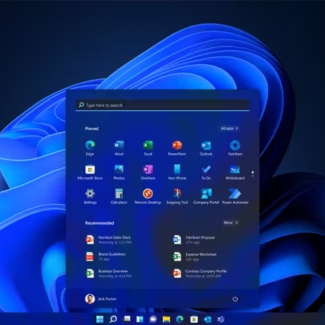
Windows 11 Pro for Workstations