









- Description
- Minimum Requirements
- Specifications
- Reviews
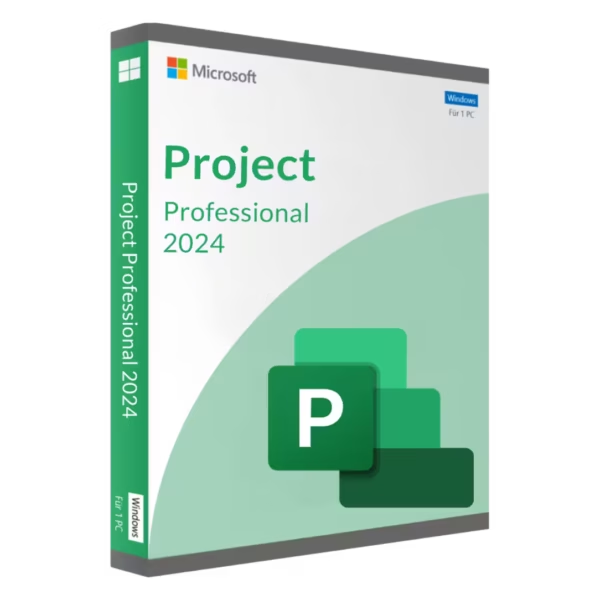
Microsoft Project 2024 Professional Bind gives project managers and teams advanced tools for project planning, scheduling, resource management, and progress tracking. It helps you organize complex work, monitor deadlines, and keep projects under control. You also get instant digital delivery, lifetime usage, and no recurring subscription.
Overview of Microsoft Project 2024 Professional Bind
- Platform: Windows
- Edition: Professional
- License Type: Bind (transferable)
- Devices: 1 device
- License Duration: Lifetime
- Activation Method: Online activation via Microsoft account
- Delivery: Instant digital delivery via email
- Support: Email and remote assistance
- Language Support: Multi-language
- Compliance: Genuine software licenses sourced through compliant distribution channels in line with EU laws and industry standards
Key Features
- Gantt charts: Display tasks and deadlines on a visual schedule. This makes project timing and progress easier to understand.
- Advanced task scheduling: Organize activities with start dates, finish dates, durations, and dependencies. Therefore, complex plans become easier to manage.
- Critical path analysis: Identify tasks that directly affect the project completion date. This helps managers focus on activities where delays matter most.
- Resource management: Assign people and other resources to project tasks. This provides a clearer view of workload and responsibility.
- Milestones and baselines: Mark important delivery points and compare planned progress with actual results. As a result, changes are easier to identify.
- Project reporting: Review schedules, workloads, and progress through structured project views. This supports clearer communication with stakeholders.
- Task dependencies: Connect related activities and define the order in which work must happen. This helps create more realistic schedules.
- Microsoft account activation: Link the product to your Microsoft account. This provides transferable use on one device at a time under the terms of this offering.
Main Features Explained
Gantt Charts and Advanced Scheduling
Microsoft Project 2024 Professional Bind helps you organize tasks, dates, and durations in a structured schedule. Gantt charts show this information in a clear visual timeline.
Therefore, you can see how tasks fit together. You can also identify delays and upcoming deadlines more quickly.
Critical Path Management
The critical path highlights tasks that have the greatest effect on the final completion date. These activities require close attention during the project.
As a result, managers can focus on the work that matters most. This helps reduce the risk of unexpected schedule delays.
Resource Planning
Assign people and resources to individual project activities. This gives you a clearer view of who is responsible for each task.
Therefore, you can improve workload planning and project organization. It also becomes easier to identify overused or underused resources.
Milestones and Baselines
Milestones help you highlight important deadlines, approvals, and delivery stages. Baselines provide a reference point for comparing the original plan with current progress.
Together, these tools help you understand how a project is changing over time.
Project Reporting and Tracking
Structured views help you monitor schedules, tasks, and resource assignments. You can use this information to provide clearer project updates.
As a result, stakeholders can understand project progress, priorities, and deadlines more easily.
Why Choose Microsoft Project 2024 Professional Bind?
Microsoft Project 2024 Professional Bind is designed for project managers, consultants, team leaders, businesses, and professionals handling demanding projects. It combines scheduling, task management, resource planning, and progress tracking in one structured environment.
You can use it for business projects, client work, product launches, implementation plans, operational initiatives, and long-term schedules. In addition, account-linked activation gives you more flexibility if you replace your computer.
Explore our Microsoft Project 2024 options to compare available editions and choose the version that best fits your workflow.
For more straightforward project planning needs, compare this edition with Microsoft Project 2024 Standard Bind. Standard focuses on core planning tools, while Professional is better suited to more demanding project management workflows.
After activation, you receive lifetime usage. Therefore, there are no recurring subscription payments.
Microsoft Project 2024 Professional Bind vs Alternatives
Microsoft Project 2024 Professional Bind is suited to users who need advanced planning and project control. It combines Gantt charts, dependencies, resource planning, milestones, baselines, and progress tracking.
The Standard Bind edition is a practical choice for more straightforward projects. Professional provides a broader toolset for users managing larger or more demanding schedules.
You can also compare it with Microsoft Project 2024 Professional. That option uses a different activation model, so your choice may depend on both project requirements and activation preferences.
System Compatibility
Microsoft Project 2024 Professional Bind is designed for compatible Windows computers. Before installation, check that your system meets the required hardware and software conditions.
Also, review any existing Microsoft Office or Project installations. Their installation architecture may affect compatibility.
Because this edition uses account-based activation, use the Microsoft account you want to keep associated with the product.
License Type Explanation
This product uses a Bind activation model. Under the terms of this offering, it can be linked to your Microsoft account and used on one compatible device at a time.
The activation is transferable to another device. Therefore, you can move it when replacing your computer while keeping only one active device at a time.
Under the terms of this offering, there is no fixed usage or transfer limit. This provides useful flexibility when your hardware changes.
After successful activation, the product provides lifetime usage and does not expire. It is also a one-time purchase, so there are no recurring subscription payments.
Installation files are provided through official Microsoft download links.
Installation & Activation
- Check that your Windows computer meets the Microsoft Project 2024 system requirements.
- Download the installation files from the provided official Microsoft source.
- Install Microsoft Project 2024 Professional Bind on the intended computer.
- Sign in with the Microsoft account you want to use for activation.
- Connect to the internet and complete the online activation via Microsoft account.
- Contact our team if you need email or remote assistance.
Why Buy From Us?
Digital License provides genuine software licenses, secure payments, fast digital delivery, and professional support. As a result, you can complete your purchase with confidence.
- Genuine licenses sourced through compliant distribution channels
- Secure payment for a protected checkout process
- Instant digital delivery directly via email
- Professional support through email and remote assistance
- EU compliance in line with EU laws, including EU Directive 2009/24/EC, and industry standards
Digital License Is a Verified Microsoft Partner
Digital License is an official Microsoft Partner (ID: 7033487), recognized for delivering genuine software licenses and verified solutions across Europe. You can verify our partnership directly on the Microsoft Partner Directory. This ensures every license you purchase is authentic, secure, and fully compliant with Microsoft standards and applicable EU. laws (EU Directive 2009/24/EC) and industry standards.
Frequently Asked Questions
How do I activate Microsoft Project 2024 Professional Bind?
Install the software on your compatible Windows computer. Then sign in with your Microsoft account and complete the required online activation.
How is Microsoft Project 2024 Professional Bind delivered?
You receive it through instant digital delivery via email. There is no physical shipment.
Does Microsoft Project 2024 Professional Bind require a subscription?
No. It is a one-time purchase with lifetime usage after successful activation.
Who should use Microsoft Project 2024 Professional Bind?
It is ideal for project managers, consultants, team leaders, businesses, and professionals who need advanced planning and scheduling tools.
What can I manage with Microsoft Project 2024 Professional Bind?
You can manage tasks, Gantt charts, dependencies, resources, milestones, baselines, timelines, and project progress.
Can it be linked to my Microsoft account?
Yes. Under the terms of this Bind offering, the activation can be associated with the Microsoft account used during setup.
Can I transfer it to another computer?
Yes. The Bind activation is transferable to another compatible device under the terms of this offering. Only one device can use it at a time.
Is there a fixed transfer limit?
No fixed transfer limit applies under the terms of this offering. However, the product remains limited to one active device at a time.
What is the difference between Professional and Standard?
Standard focuses on essential scheduling and project planning. Professional is better suited to advanced project management, resource planning, tracking, and complex schedules.
Is purchasing this software compliant with EU law?
Digital License supplies genuine software licenses through compliant distribution channels in line with applicable EU laws, including EU Directive 2009/24/EC, and industry standards.

| Component | Requirement |
| Processor | 1.6 GHz or faster, 2-core processor |
| RAM | 4 GB RAM (64-bit); 2 GB RAM (32-bit) |
| Storage | At least 4 GB of available disk space |
| Operating System | Windows 10, Windows 11, or Windows Server 2019/2025 |
| Graphics | DirectX 9 or later with WDDM 2.0 or higher (for Windows 10 and later) |
| Display | 1280 × 768 screen resolution |
| Specification | Detail |
|---|---|
| Activation | Single PC (one-time activation) |
| License validity | Lifetime (does not expire after activation) |
| Delivery method | By email within 15 minutes |
| Languages | Multilingual |

1 – Buy
Shop securely with SSL encryption.

2 – Receive
You will receive the license key and download link.

3 – Download
Download and install the software.

4 – Activate
Enter the license key to the software.


Microsoft Project 2019 Professional


Microsoft Project 2021 Professional