









- Description
- Minimum Requirements
- Specifications
- Reviews
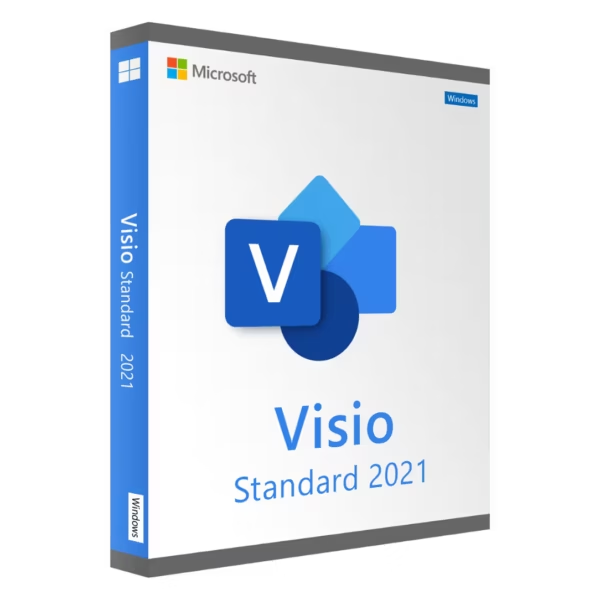
Microsoft Visio 2021 Standard provides practical tools for creating flowcharts, process maps, organizational charts, and business diagrams. It is ideal for professionals and teams that need to present information in a clear visual format. You also get instant digital delivery, lifetime usage, and no recurring subscription.
Overview of Microsoft Visio 2021 Standard
- Platform: Windows
- Edition: Standard
- License Type: Retail
- Devices: 1 device
- License Duration: Lifetime
- Activation Method: Online activation
- Delivery: Instant digital delivery via email
- Support: Email and remote assistance
- Language Support: Multi-language
- Compliance: Genuine software licenses sourced through compliant distribution channels in line with EU laws and industry standards
Key Features
- Professional flowcharts: Create clear diagrams for tasks, decisions, and processes. This makes workflows easier to understand and explain.
- Process mapping: Turn business procedures into connected visual steps. Therefore, teams can review responsibilities and activities more clearly.
- Organizational charts: Show departments, roles, and reporting structures in a simple hierarchy. This supports better internal communication.
- Ready-made templates: Start common diagram projects with structured layouts. As a result, you can save time and avoid building every design from scratch.
- Diagram shapes and connectors: Build organized visuals with reusable shapes and connections. This helps keep diagrams consistent and easy to follow.
- Precise formatting: Align, arrange, and format diagram elements with clear controls. This helps create polished business documents.
- Business visualization: Present processes, structures, and relationships visually. Therefore, complex information becomes easier to communicate.
- Lifetime usage: Continue using the activated product without recurring subscription payments. This makes it a practical one-time purchase.
Main Features Explained
Flowcharts and Process Maps
Microsoft Visio 2021 Standard helps you turn workflows into clear visual steps. You can connect actions, decisions, and tasks in an easy-to-follow layout.
This makes business processes easier to explain. Therefore, teams can understand procedures faster.
Organizational Charts
Create structured charts for departments, employees, and reporting lines. Each role can be placed within a clear hierarchy.
As a result, organizations can improve planning and internal communication.
Templates and Shapes
Templates provide a useful starting point for common diagram types. In addition, reusable shapes help you build consistent layouts.
This saves time during everyday work. It also makes professional diagrams easier to create.
Process Visualization
Visio helps turn detailed procedures into visual maps. For example, you can show tasks, responsibilities, and decision points in one diagram.
Therefore, teams can review processes without relying on long text documents.
Professional Formatting
Alignment and formatting tools help keep shapes, connectors, and text organized. This improves the appearance and readability of your diagrams.
As a result, you can create clean and professional business visuals for meetings, reports, and planning.
Why Choose Microsoft Visio 2021 Standard?
Microsoft Visio 2021 Standard is a practical choice for business users, project managers, administrators, consultants, educators, and small teams. It provides essential tools for everyday professional diagramming.
You can use it for workflow diagrams, organizational charts, planning documents, and process maps. In addition, its clear interface makes visual communication easier to manage.
Explore our Microsoft Visio 2021 options to compare available editions and choose the version that best matches your needs.
If you need broader tools for advanced business and technical diagrams, compare this edition with Microsoft Visio 2021 Professional. Standard is designed for common diagramming tasks, while Professional is better suited to more demanding workflows.
After activation, you receive lifetime usage. Therefore, there are no recurring subscription payments.
Microsoft Visio 2021 Standard vs Alternatives
Microsoft Visio 2021 Standard focuses on practical diagramming for everyday business needs. It works well for flowcharts, process maps, organizational charts, and structured visual planning.
The Professional edition offers broader capabilities for users with more advanced business or technical requirements. However, Standard remains a strong choice for straightforward professional diagrams.
You can also consider Microsoft Visio 2024 Standard Bind if you prefer a newer generation with an account-linked and transferable activation model. The right option depends on your workflow and activation preferences.
System Compatibility
Microsoft Visio 2021 Standard is designed for compatible Windows computers. Before installation, check that your system meets the required hardware and software conditions.
Also, review any existing Microsoft Office or Visio installations. Their installation architecture may affect compatibility.
Finally, complete your Windows setup before activation. This helps avoid unnecessary activation issues later.
License Type Explanation
This product uses a Retail license. Under the terms of this specific offering, it can be installed and activated once on one computer.
After successful activation, you receive lifetime usage. The product does not expire, and there are no recurring subscription payments.
However, the activation cannot be transferred or reused on another computer. Therefore, choose your final device before activation.
If the software is uninstalled, the activation is lost. The same applies if the activated computer is formatted.
Installation files are provided through official Microsoft download links.
Installation & Activation
- Check that your Windows computer meets the Visio 2021 system requirements.
- Download the installation files from the provided official Microsoft source.
- Install Microsoft Visio 2021 Standard on the intended computer.
- Complete the installation and open Visio when prompted.
- Connect to the internet and complete the online activation.
- Contact our team if you need email or remote assistance.
Why Buy From Us?
Digital License provides genuine software licenses, secure payments, fast digital delivery, and professional support. As a result, you can complete your purchase with confidence.
- Genuine licenses sourced through compliant distribution channels
- Secure payment for a protected checkout process
- Instant digital delivery directly via email
- Professional support through email and remote assistance
- EU compliance in line with EU laws, including EU Directive 2009/24/EC, and industry standards
Digital License Is a Verified Microsoft Partner
Digital License is an official Microsoft Partner (ID: 7033487), recognized for delivering genuine software licenses and verified solutions across Europe. You can verify our partnership directly on the Microsoft Partner Directory. This ensures every license you purchase is authentic, secure, and fully compliant with Microsoft standards and applicable EU. laws (EU Directive 2009/24/EC) and industry standards.
Frequently Asked Questions
How do I activate Microsoft Visio 2021 Standard?
Install the software on the intended Windows computer. Then connect to the internet and complete the required online activation.
How is Microsoft Visio 2021 Standard delivered?
You receive it through instant digital delivery via email. There is no physical shipment.
Does Microsoft Visio 2021 Standard require a subscription?
No. It is a one-time purchase with lifetime usage after successful activation.
Who should use Microsoft Visio 2021 Standard?
It is ideal for business users, project managers, administrators, consultants, educators, and small teams.
What can I create with Microsoft Visio 2021 Standard?
You can create flowcharts, process maps, organizational charts, planning diagrams, and other structured business visuals.
Can I transfer this Retail activation?
No. Under the terms of this specific offering, the activation is intended for one computer and cannot be transferred or reused.
What happens if I uninstall the software?
If the software is uninstalled from the activated computer, the activation is lost and cannot be reused.
What happens if I format the computer?
If the activated computer is formatted, the activation is lost. Therefore, complete your final Windows setup before activation.
What is the difference between Standard and Professional?
Standard is designed for common business diagrams and everyday visual planning. Professional is better suited to advanced business, process, network, and technical diagrams.
Is purchasing this software compliant with EU law?
Digital License supplies genuine software licenses through compliant distribution channels in line with applicable EU laws, including EU Directive 2009/24/EC, and industry standards.

| Component | Requirement |
| Processor | 1.6 GHz or faster, 2-core processor |
| RAM | 4 GB RAM for 64-bit; 2 GB for 32-bit |
| Storage | At least 4 GB of available disk space |
| Operating System | Windows 10, Windows 11, or Windows Server 2019/2022 |
| Graphics | DirectX 9 or later with WDDM 2.0 or higher for Windows 10 |
| Display | 1280 × 768 screen resolution |
| Specification | Detail |
|---|---|
| Activation | Single PC (one-time activation) |
| License validity | Lifetime (does not expire after activation) |
| Delivery method | By email within 15 minutes |
| Languages | Multilingual |

1 – Buy
Shop securely with SSL encryption.

2 – Receive
You will receive the license key and download link.

3 – Download
Download and install the software.

4 – Activate
Enter the license key to the software.

Microsoft Visual Studio 2022 Enterprise

Microsoft Visual Studio 2022 Professional
Microsoft Office 2016 Professional Plus
Microsoft Office 2024 Home & Business