









- Description
- Minimum Requirements
- Specifications
- Reviews
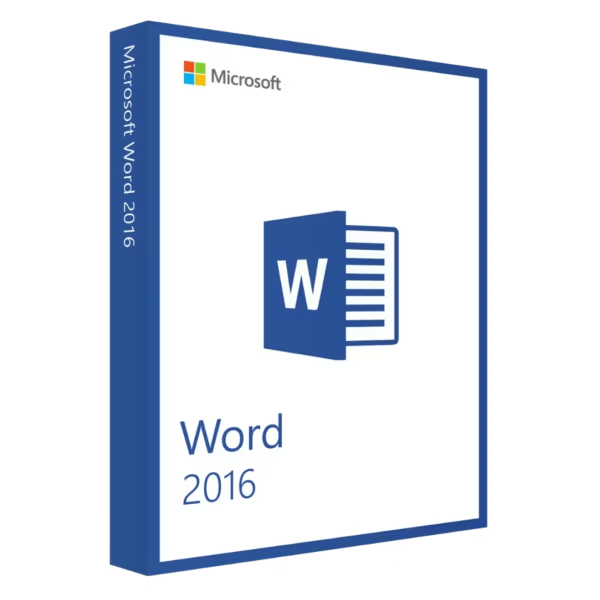
Microsoft Word 2016 provides a reliable standalone word-processing solution for professionals, students, writers, and home users. Create reports, letters, resumes, assignments, and business documents with familiar Microsoft tools. You also get instant digital delivery, lifetime usage, and no subscription fees.
Overview of Microsoft Word 2016
- Platform: Windows
- Edition: Word 2016 Standalone
- License Type: LTSC
- Devices: 1 device
- License Duration: Lifetime
- Activation Method: Online activation
- Delivery: Instant digital delivery via email
- Support: Email and remote assistance
- Language Support: Multi-language
- Compliance: Genuine software licenses sourced through compliant distribution channels in line with EU laws and industry standards
Key Features
- Professional document creation: Create reports, letters, resumes, assignments, and business documents. This gives you a dependable tool for everyday writing.
- Flexible formatting: Control fonts, headings, spacing, lists, margins, and page layouts. Therefore, your documents stay clear and professional.
- Tables and visual elements: Add tables, images, shapes, and other content to your documents. This helps present information in a clearer way.
- Review and editing tools: Add comments and review changes while refining drafts. As a result, editing becomes easier to manage.
- Styles and templates: Apply structured layouts and consistent formatting. This saves time when creating repeated document types.
- Search and navigation: Find words, sections, and headings quickly. This is especially useful for long and detailed documents.
- Standalone application: Use Word without purchasing a full Office suite. This is ideal when word processing is your main requirement.
- Lifetime usage: Keep using the activated installation without recurring subscription payments. This makes it a practical one-time purchase.
Main Features Explained
Professional Writing and Editing
Microsoft Word 2016 helps you create and edit many types of documents. You can prepare reports, letters, resumes, contracts, assignments, and other written content.
In addition, familiar editing tools make revisions simple. Therefore, you can focus more on writing and less on document setup.
Document Formatting
Word gives you control over headings, fonts, paragraphs, lists, margins, and page layouts. Styles also help keep formatting consistent.
As a result, business reports, academic papers, and personal documents remain clear and organized.
Tables and Visual Content
You can add tables, images, shapes, and other visual elements directly to your document. These tools help organize information and improve presentation.
For example, tables can make structured data easier to read. Meanwhile, images can add useful visual context.
Review and Revision Tools
Word provides practical tools for comments, changes, and document review. These features make it easier to refine drafts and manage feedback.
Therefore, you can review professional, academic, or personal documents more efficiently.
Efficient Navigation
Search and navigation tools help you move through larger documents quickly. You can locate specific words or sections without checking every page manually.
This makes Word useful for reports, manuals, research papers, and structured documents.
Why Choose Microsoft Word 2016?
Microsoft Word 2016 suits professionals, students, writers, freelancers, administrators, and home users. It focuses on efficient document creation without requiring a complete Office package.
You can write reports, prepare assignments, create resumes, and format business documents. In addition, its familiar interface makes everyday writing straightforward.
Explore our Microsoft Word options to compare available versions. This helps you choose the release that best fits your workflow.
If you prefer a newer generation, compare this version with Microsoft Word 2021. Word 2021 provides a more recent standalone environment, while Word 2016 remains suitable for users who prefer this release.
Once activated, this product provides lifetime usage. In addition, there are no recurring subscription payments.
Microsoft Word 2016 vs Alternatives
Microsoft Word 2016 offers a focused desktop environment for writing, editing, formatting, and reviewing documents. It is a practical choice for users who specifically need the Word 2016 workflow.
Word 2021 is a newer generation and may suit users who want a more recent release. However, Word 2016 remains useful for established workflows on compatible Windows systems.
You can also consider Microsoft Word 2019. It provides a newer Word environment while keeping the familiar standalone document experience.
System Compatibility
Microsoft Word 2016 is designed for compatible Windows computers. Before installation, check that your operating system and hardware support Word 2016.
Also, make sure your computer has enough memory and storage. Existing Word or Office installations may need attention before setup.
Finally, complete your Windows setup before activation. This helps reduce unnecessary activation issues later.
License Type Explanation
This product uses a LTSC license. Under the terms of this specific offering, it can be installed and activated once on one computer.
After successful activation, it provides lifetime usage and does not expire. It is also a one-time purchase, so there are no recurring subscription payments.
However, this LTSC license cannot be transferred or reused on another computer. Therefore, choose the final device before activation.
If Word is uninstalled, the license is lost. The same applies if the activated computer is formatted.
Installation files are provided through official Microsoft download links. This keeps the setup process clear and straightforward.
Installation & Activation
- Check that your Windows computer meets the Word 2016 system requirements.
- Download the installation files from the provided official Microsoft download source.
- Install Microsoft Word 2016 on the intended computer.
- Open Word and connect the computer to the internet.
- Complete the required online activation.
- If needed, contact our team for email or remote assistance.
Why Buy From Us?
Digital License provides genuine software licenses, secure payments, fast digital delivery, and professional support. Therefore, you can purchase and activate your software with confidence.
- Genuine licenses sourced through compliant distribution channels
- Secure payment for a protected checkout experience
- Instant digital delivery directly via email
- Professional support through email and remote assistance
- EU compliance in line with EU laws, including EU Directive 2009/24/EC, and industry standards
Digital License Is a Verified Microsoft Partner
Digital License is an official Microsoft Partner (ID: 7033487), recognized for delivering genuine software licenses and verified solutions across Europe. You can verify our partnership directly on the Microsoft Partner Directory. This ensures every license you purchase is authentic, secure, and fully compliant with Microsoft standards and applicable EU. laws (EU Directive 2009/24/EC) and industry standards.
Frequently Asked Questions
How do I activate Microsoft Word 2016?
Install Word on the intended Windows computer. Then connect to the internet and complete the required online activation.
How is Microsoft Word 2016 delivered?
You receive it through instant digital delivery via email. Therefore, there is no physical package or shipping delay.
Does Microsoft Word 2016 require a subscription?
No. This offering is a one-time purchase with lifetime usage after successful activation.
Is Microsoft Word 2016 a complete Office suite?
No. This is the standalone Word application. It is intended for users who mainly need professional document creation and editing.
Who should use Microsoft Word 2016?
It is suitable for professionals, students, writers, freelancers, administrators, and home users who regularly create and edit documents.
Can I transfer this LTSC activation to another computer?
No. Under the terms of this specific LTSC offering, it is intended for one-time activation on one computer and cannot be transferred or reused.
What happens if I uninstall Microsoft Word 2016?
If Word is uninstalled from the activated computer, the license is lost and cannot be reused. Therefore, keep the activated installation in place.
What happens if I format the computer?
If the activated computer is formatted, the license is lost. Complete your final Windows setup before activation.
How does Microsoft Word 2016 compare with Word 2019?
Both provide professional document creation and editing tools. However, Word 2019 is a newer generation, while Microsoft Word 2016 suits users who specifically prefer the 2016 environment.
Is purchasing this software compliant with EU law?
Digital License supplies genuine software licenses through compliant distribution channels in line with applicable EU laws, including EU Directive 2009/24/EC, and industry standards.

| Component | Requirement |
| Processor | 1 GHz or faster x86-bit or x64-bit processor with SSE2 instruction set |
| RAM | 2 GB RAM for 64-bit; 1 GB RAM for 32-bit |
| Storage | At least 3 GB of available disk space |
| Operating System | Windows 7, Windows 8, Windows 8.1, Windows 10, Windows Server 2008 R2, Windows Server 2012, or Windows Server 2012 R2 |
| Graphics | DirectX 10 graphics device required for graphics hardware acceleration |
| Display | 1024 × 768 screen resolution |
| Specification | Detail |
|---|---|
| Activation | Single PC (one-time activation) |
| License validity | Lifetime (does not expire after activation) |
| Delivery method | By email within 15 minutes |
| Languages | Multilingual |

1 – Buy
Shop securely with SSL encryption.

2 – Receive
You will receive the license key and download link.

3 – Download
Download and install the software.

4 – Activate
Enter the license key to the software.


Microsoft Project 2021 Professional

Microsoft Visual Studio 2022 Enterprise

Microsoft Visual Studio 2022 Professional
Microsoft Office 2013 Professional Plus
Microsoft Office 2024 Standard