





































- Description
- Minimum Requirements
- Specifications
- Additional information
- Reviews
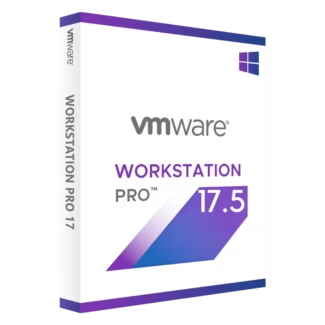
VMware Workstation 17 Player for Windows and Linux is a streamlined desktop virtualization solution for developers, IT professionals, students, and power users who want to run virtual machines securely on a single PC. You get a lifetime license with instant digital delivery and 100% compliance with EU Directive 2009/24/EC.
Overview of VMware Workstation 17 Player
- Platform: Windows & Linux
- Edition: Player
- License Type: Retail
- Devices: 1 device
- License Duration: Lifetime
- Activation Method: Online activation
- Delivery: Instant digital delivery via email
- Support: Email and remote assistance
- Language Support: Multi-language
- Compliance: Fully legal resale under EU Directive 2009/24/EC
What Is VMware Workstation 17 Player?
VMware Workstation 17 Player lets you run one or multiple virtual machines on your PC, so you can use different operating systems, test software safely, and keep experiments isolated from your main system. It’s ideal when you need a dependable VM environment for training labs, troubleshooting, compatibility checks, and everyday development work.
What makes Player unique is its focused, easy-to-use VM workflow: you get reliable performance, broad guest OS compatibility, and simple VM setup without the heavier toolset intended for advanced lab management. If you need snapshots, cloning, and more powerful VM controls, consider VMware Workstation 17 Pro. For more virtualization options, explore our Virtualization Software category.
Included Features in VMware Workstation 17 Player
- Run virtual machines locally: Use Windows, Linux, and other guest OS environments on one PC for testing and compatibility.
- Optimized virtualization performance: Keep VMs responsive for development, training, and productivity workloads.
- Broad guest OS support: Work with many operating systems and configurations for real-world lab scenarios.
- Resource allocation controls: Assign CPU, RAM, and disk resources so your VM runs reliably on your hardware.
- Safe isolation environment: Contain risky files, installers, and test changes inside a VM to protect your main OS.
New Features in VMware Workstation 17 Player
- Improved host OS compatibility: Better support for modern Windows and Linux systems on current hardware.
- Enhanced performance for newer guests: Smoother operation with newer operating systems and updated drivers.
- Refined setup and usability: Faster VM creation and clearer workflows for daily virtualization tasks.
- Updated hardware support: More reliable behavior across modern CPUs, chipsets, and peripheral setups.
- Stability and security enhancements: Ongoing improvements to help keep your VM environment dependable.
Key Features & Benefits of VMware Workstation 17 Player
Security & Compliance
You receive a genuine retail license that is 100% legal under EU law and aligned with Directive 2009/24/EC. This gives you a compliant way to purchase virtualization software with transparent, EU-legal resale protection.
Performance & Virtualization
You run virtual machines smoothly on your desktop, making it practical to test operating systems, validate software behavior, and create training labs without buying extra hardware.
Remote Access Tools
If you want assistance during setup, Digital License provides remote activation support so you can install and complete online activation confidently, with professional help available when needed.
Productivity & Efficiency
You reduce downtime by using VMs for compatibility checks, safe testing, and quick environment switching. Instead of reconfiguring your main OS, you keep work separated and organized in minutes.
One-Time Ownership
You avoid recurring costs with a lifetime license and no subscription or renewal. Your retail key is also transferable to another device, which protects your investment when you upgrade or replace your PC.
How to Activate Your VMware Workstation 17 Player License
- Download the software
- Install it on your device
- Go to Settings > Activation
- Enter your product key and activate online
Why Buy VMware Workstation 17 Player from Digital License?
- Instant delivery via email within minutes
- Lifetime license with no subscription
- Remote support and installation help included
- 100% legal resale under EU Directive 2009/24/EC
- Refund guarantee if activation fails
FAQs About VMware Workstation 17 Player
- I’m concerned activation might fail—what protection do I have?
- You are covered by remote activation support and a full refund guarantee if activation fails. You receive a genuine retail key with a lifetime license and no subscription or renewal.
- Is this license legal for EU customers and businesses?
- Yes. It is 100% legal under EU law and compliant with Directive 2009/24/EC, supporting fully legal resale within the EU.
- Can I transfer the license to another PC later?
- Yes. This is a retail license and it is transferable to another device, so you keep flexibility when you upgrade hardware—still as a lifetime license with no subscription or renewal.
- Do I need Player or Pro for my use case?
- Player is ideal for running VMs for learning, testing, and compatibility. If you need advanced lab workflows such as snapshots and cloning, Pro may be a better fit. Either way, you get a retail key, remote activation support, and a full refund guarantee.
- How quickly will I receive my product key?
- You get instant digital delivery via email within minutes, including your retail key and setup steps, plus remote activation support if needed.
- Will I have to renew or pay again later?
- No. You receive a lifetime license with no subscription or renewal, delivered as a genuine retail key.
- Is the download and purchase trustworthy?
- Yes. You receive an official retail key and a secure download option, plus remote activation support. Your purchase remains 100% legal under EU law under Directive 2009/24/EC, backed by a full refund guarantee.
- What if I need help setting up my first virtual machine?
- You receive step-by-step guidance and can request remote activation support. If activation fails, you are protected by our full refund guarantee, with a lifetime license and no subscription or renewal.
Installation & Support for VMware Workstation 17 Player
- Official product key sent via email
- Secure download link from Microsoft or our servers
- Step-by-step instructions included
- Remote setup help available
- Buy with confidence from a verified EU software license reseller
What Does “Retail” Mean?
A retail license is intended for end users and provides clear ownership with straightforward online activation. You receive a lifetime license for 1 device with online activation, plus no subscription or renewal. Because this retail license is transferable to another device, you keep flexibility when upgrading or replacing hardware—supported by remote activation support and a full refund guarantee if activation fails. It is also 100% legal under EU law in line with Directive 2009/24/EC.

| Component | Requirement |
| Processor | 64-bit x86 processor with at least 2 cores, supporting hardware virtualization (Intel VT-x/EPT or AMD-V/RVI) |
| Memory (RAM) | Minimum 2 GB RAM (8 GB or more recommended for running virtual machines smoothly) |
| Storage | At least 1.2 GB of available disk space for installation (additional space required for virtual machines) |
| Operating System | Windows 10 or Windows 11 (64-bit), or supported 64-bit Linux distributions |
| Graphics | DirectX 11 compatible GPU (Windows) or OpenGL 4.3 compatible GPU (Linux) |
| Display | Minimum 800 × 600 screen resolution (1920 × 1080 or higher recommended) |
| Virtualization | Hardware virtualization must be enabled in BIOS/UEFI |
| Specification | Detail |
|---|---|
| Activation | Single PC (one-time activation) |
| License validity | Lifetime (does not expire after activation) |
| Delivery method | By email within 15 minutes |
| Languages | Multilingual |
Additional information
| Devices | 1 Device, 5 Devices, 10 Devices, 20 Devices |
|---|

1 – Buy
Shop securely with SSL encryption.

2 – Receive
You will receive the license key and download link.

3 – Download
Download and install the software.

4 – Activate
Enter the license key to the software.
Ashampoo 3D CAD Architecture 10

Parallels Desktop 20 Pro Edition Mac


Nuance Dragon NaturallySpeaking Premium 13
