


























- Description
- Minimum Requirements
- Specifications
- Reviews
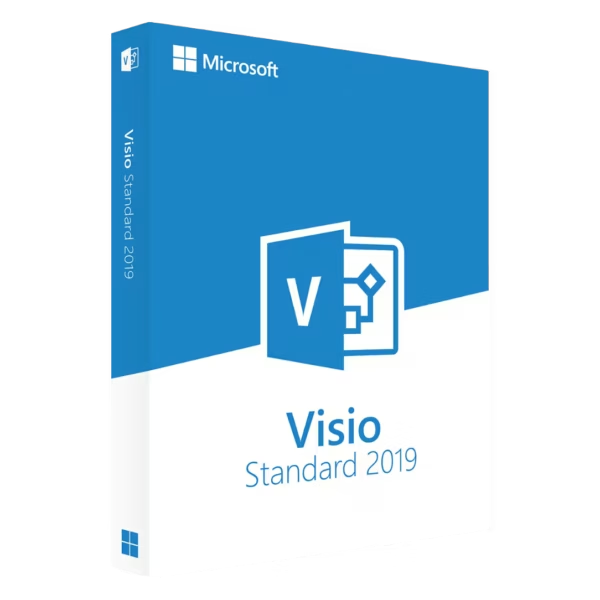
Microsoft Visio 2019 Standard helps you transform everyday business information into clear flowcharts, organizational charts, and practical diagrams. Get instant digital delivery and lifetime usage of the purchased version on one Windows computer, with a one-time purchase and no subscription.
Overview of Microsoft Visio 2019 Standard
- Platform: Windows
- Edition: Standard
- License Type: LTSC
- Devices: 1 device
- License Duration: Lifetime
- Activation Method: Online activation
- Delivery: Instant digital delivery via email
- Support: Email and remote assistance
- Language Support: Multi-language
- Compliance: Genuine software licenses sourced through compliant distribution channels in line with EU laws and industry standards
Key Features
- Flowchart templates: Map tasks, decisions, and outcomes with recognizable symbols, making procedures easier to explain and follow.
- Organizational charts: Show reporting relationships and departmental structures so colleagues can quickly identify roles and responsibilities.
- Drag-and-drop shapes: Build diagrams from ready-made visual elements, reducing the time spent drawing and formatting individual components.
- Connected shapes: Use connectors to display relationships between items and keep the sequence of a diagram clear as you adjust its layout.
- Themes and formatting: Apply coordinated colors and styles to create consistent documentation for meetings, training, and internal reference.
- Alignment and spacing tools: Arrange shapes neatly to improve readability, especially when a diagram contains several branches or departments.
- PDF and image export: Share finished diagrams in accessible formats so recipients can review them without editing the original drawing.
Main Features Explained
Flowcharts That Make Procedures Easier to Follow
Flowchart templates provide a structured starting point for documenting activities and decision paths. Add shapes for individual steps, connect them in sequence, and label the actions required at each stage.
This is useful for customer service procedures, approval processes, and employee onboarding. A visual explanation helps readers understand what happens next and where different outcomes lead.
Organizational Charts for Clearer Responsibilities
Organizational charts turn reporting relationships into an understandable hierarchy. You can show teams, departments, and individual positions in a format that is easier to scan than a written list.
HR teams and department managers can use these charts for induction materials, restructuring discussions, and internal reference. Clearly displayed relationships help employees identify the appropriate manager or team.
Shape and Connector Tools for Faster Editing
Ready-made shapes let you assemble a diagram without drawing every element manually. Connectors communicate the relationships between those shapes, while alignment and spacing tools help organize the page.
When a process changes, you can revise the relevant section of the drawing. This makes it easier to maintain useful documentation as responsibilities, tasks, and procedures develop.
Consistent Formatting and Practical Sharing
Themes and formatting tools help you give separate diagrams a consistent appearance. Coordinated colors, readable labels, and balanced spacing make information easier to interpret.
Exporting a finished drawing as a PDF or image lets you include it in reports, presentations, and training materials. Keep the editable Visio file separately so you can update the source diagram later.
Why Choose Microsoft Visio 2019 Standard?
Microsoft Visio 2019 Standard is suited to office managers, administrators, project coordinators, and small business teams that need straightforward visual documentation. It focuses on everyday diagramming tasks such as explaining procedures and presenting organizational structures.
For example, a team leader can map how a request moves from submission to approval. An administrator can prepare a department chart for new employees, while a project coordinator can illustrate a sequence of tasks for a planning meeting.
Explore our Microsoft Visio 2019 range to compare the available editions with the types of drawings your team produces.
If your deployment plans call for a later release, consider Microsoft Visio 2021 Standard as a comparison. Review the required features, installation compatibility, and support lifecycle before selecting either version.
Microsoft Visio 2019 Standard vs Alternatives
Standard compared with Professional: Standard covers common business diagramming needs, including flowcharts and organizational charts. Professional adds capabilities for more specialized technical modeling, external data linking, and validation of supported process diagrams.
If your work requires those advanced tools, compare Microsoft Visio 2019 Professional. Standard remains a practical option when your priority is creating clear business drawings without the additional modeling features.
2019 compared with 2021: Both releases support familiar desktop diagramming workflows. The later release belongs to a newer product generation, but choosing a version should also account for your existing software environment and its support requirements.
System Compatibility
This product is designed for installation on a Windows computer. It does not include a native macOS application or a browser-based Visio subscription.
- Windows environment: Check your exact operating system against the requirements of the supplied installation package before deployment.
- Existing Office software: Installation technology and 32-bit or 64-bit architecture must be compatible with the applications already on your computer.
- Computer resources: Provide sufficient memory and available storage for installation and the diagrams you intend to create.
- Internet connection: Access is needed to download the supplied files and complete the activation procedure.
Microsoft support status: Visio 2019 reached end of support in October 2025. The application can continue to run, but Microsoft no longer provides regular security updates, bug fixes, or technical support for this release. Assess this limitation before introducing it into a business environment.
Understanding This LTSC Offer
This product is listed as LTSC in our catalog and is supplied through a single payment for use on one designated computer. There is no recurring subscription charge for the purchased version.
Under the terms of this offer, the supplied activation entitlement permits one installation and cannot be transferred or reused. If you uninstall the application or format the computer, the original activation entitlement cannot be used again.
Lifetime usage means the activated version has no subscription expiry. It does not include future major releases or extend Microsoft’s update and support period.
Installation packages are prepared by Digital License under its stated Microsoft partnership arrangement and hosted on company servers. Follow the instructions delivered with your purchase to use the correct package.
Installation & Activation
- Step 1: Check your Windows environment and compatibility with existing Office applications.
- Step 2: Open your delivery email and read the supplied installation instructions.
- Step 3: Download the provided installation package and close any open Office applications.
- Step 4: Install the software on your chosen computer, following the supplied procedure.
- Step 5: Complete activation as instructed, then open a template to confirm that the application is ready to use.
Why Buy From Us?
Digital License combines digital fulfillment with practical setup guidance, helping you understand your purchase and complete installation with confidence.
- Genuine software licenses: Supplied through the distribution channels described in our product information.
- Secure payment: A protected checkout process for your order.
- Helpful assistance: Guidance for installation and activation difficulties.
- Transparent usage terms: Clear information about device limits, activation restrictions, and usage duration.
- Compliance commitment: Sourcing aligned with applicable EU laws, including EU Directive 2009/24/EC, and industry standards.
Digital License Is a Verified Microsoft Partner
Digital License is an official Microsoft Partner (ID: 7033487), recognized for delivering genuine software licenses and verified solutions across Europe. You can verify our partnership directly on the Microsoft Partner Directory. This ensures every license you purchase is authentic, secure, and fully compliant with Microsoft standards and applicable EU. laws (EU Directive 2009/24/EC) and industry standards.
Frequently Asked Questions
How will I receive my purchase?
Your purchase is delivered digitally to your email address, together with the information needed to download, install, and activate the software. No physical delivery is required.
How do I activate the application?
Install the supplied package and follow the activation instructions included in your delivery email. Contact Digital License if you need help completing the procedure.
Can I install this product on a Mac?
No. This offer is for the Windows desktop application and does not provide a native macOS version.
Can I move it to another computer?
No. Under the stated terms of this offer, the supplied activation entitlement is restricted to the original computer and cannot be transferred or reused.
Can I reinstall it after formatting my computer?
The supplied terms do not allow reuse after formatting or uninstalling the application. Select your installation computer carefully before activation.
Does lifetime usage include ongoing Microsoft support?
No. Lifetime usage refers to the absence of a subscription expiry for the purchased version. Visio 2019 has reached end of support and no longer receives regular Microsoft security updates or bug fixes.
Do recipients need Visio to view my diagrams?
Recipients can view diagrams exported as PDF files or images using suitable viewing software. Editing the original Visio drawing requires a compatible application.
Is the software supplied legally?
Digital License states that its software is sourced through lawful distribution channels in accordance with applicable EU requirements. Retain your invoice and supplied licensing documentation as purchase records.
</details

| Component | Requirement |
| Processor | 1.6 GHz or faster, 2-core processor |
| RAM | 4 GB RAM for 64-bit; 2 GB for 32-bit |
| Storage | At least 4 GB of available disk space |
| Operating System | Windows 10 or Windows Server 2019 |
| Graphics | DirectX 9 or later with WDDM 2.0 or higher for Windows 10 |
| Display | 1280 × 768 screen resolution |
| Specification | Detail |
|---|---|
| Activation | Single PC (one-time activation) |
| License validity | Lifetime (does not expire after activation) |
| Delivery method | By email within 15 minutes |
| Languages | Multilingual |

1 – Buy
Shop securely with SSL encryption.

2 – Receive
You will receive the license key and download link.

3 – Download
Download and install the software.

4 – Activate
Enter the license key to the software.


Microsoft Project 2019 Professional

Microsoft Visual Studio 2019 Enterprise
Microsoft Office 2010 Professional Plus
Microsoft Office 2013 Professional Plus
Microsoft Office 2021 Professional Plus Bind
Microsoft Office 2024 Home & Business
